Getting Started
Install LiveFilms from Google Play Store. Open the app and sign in with your Google account. Grant camera and microphone permissions when prompted.
- Sign in with Google account
- You receive 10 free coins on first login
- Set your RTMP server URL in Server Settings
- Configure video and audio settings
- Tap Stream to start live streaming
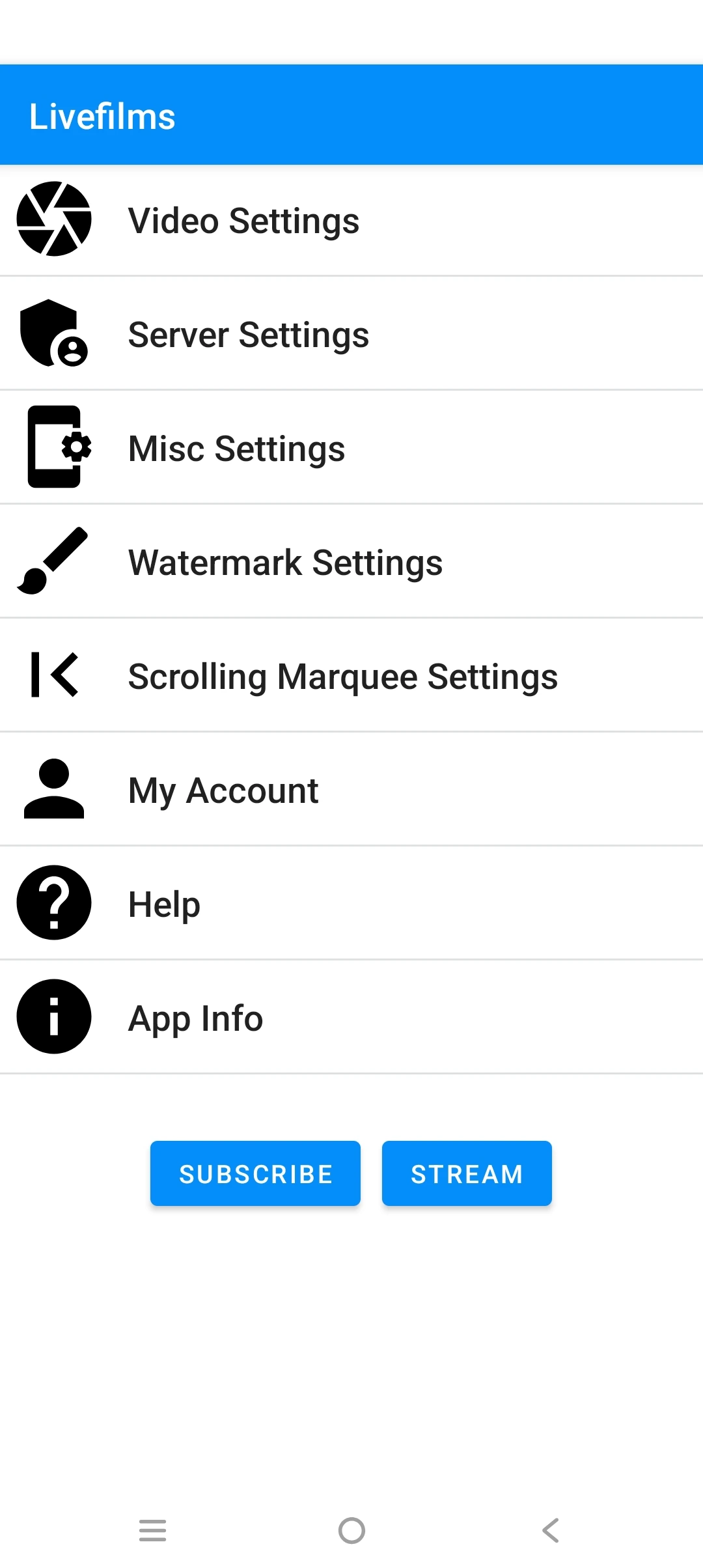 Screenshot — Main Screen
Free Mode
Use LiveFilms for free by watching rewarded ads to earn coins:
- Sign in with Google to get started
- Receive 10 free coins on signup
- 1 coin = 1 minute of streaming
- Watch ads to earn more coins
- 1 Ad = 10 coins = 10 minutes streaming
- Watch 6 ads for 1 hour of streaming
- Coins stored securely in the cloud
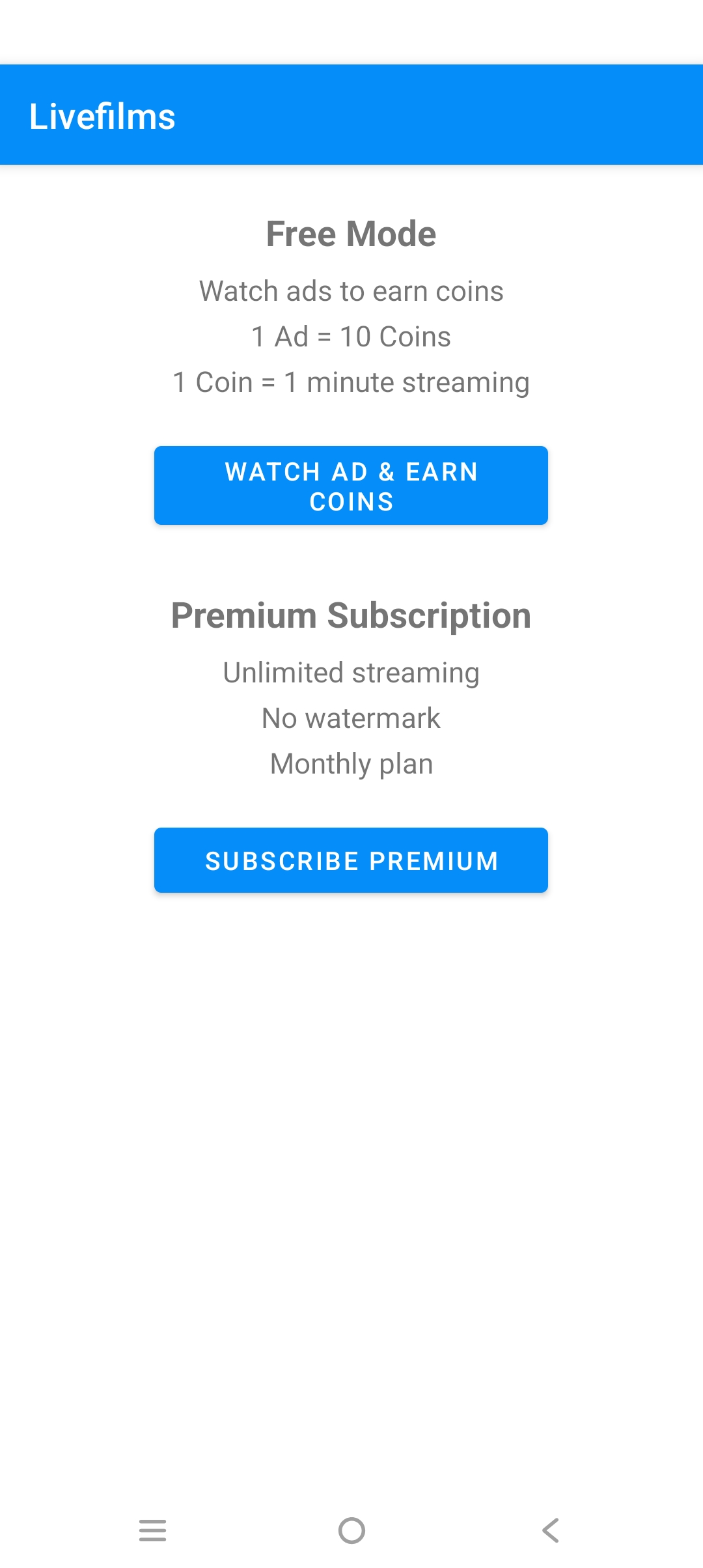 Screenshot — Watch Ad Screen
Premium Subscription
Upgrade to Premium for unlimited streaming:
- No time limit — stream as long as you want
- No coins required
- Prepaid monthly plan — no auto-renewal
- Subscription expires after 30 days
- Manual renewal required
- Subscribe via My Account or Stream button
RTMP Setup (Server Settings)
Enter RTMP server URL and stream key in Server Settings:
- YouTube: Stream Settings → Stream tab → copy URL and key
- Facebook: Live Producer → copy stream URL and key
- Custom server: enter your RTMP server URL directly
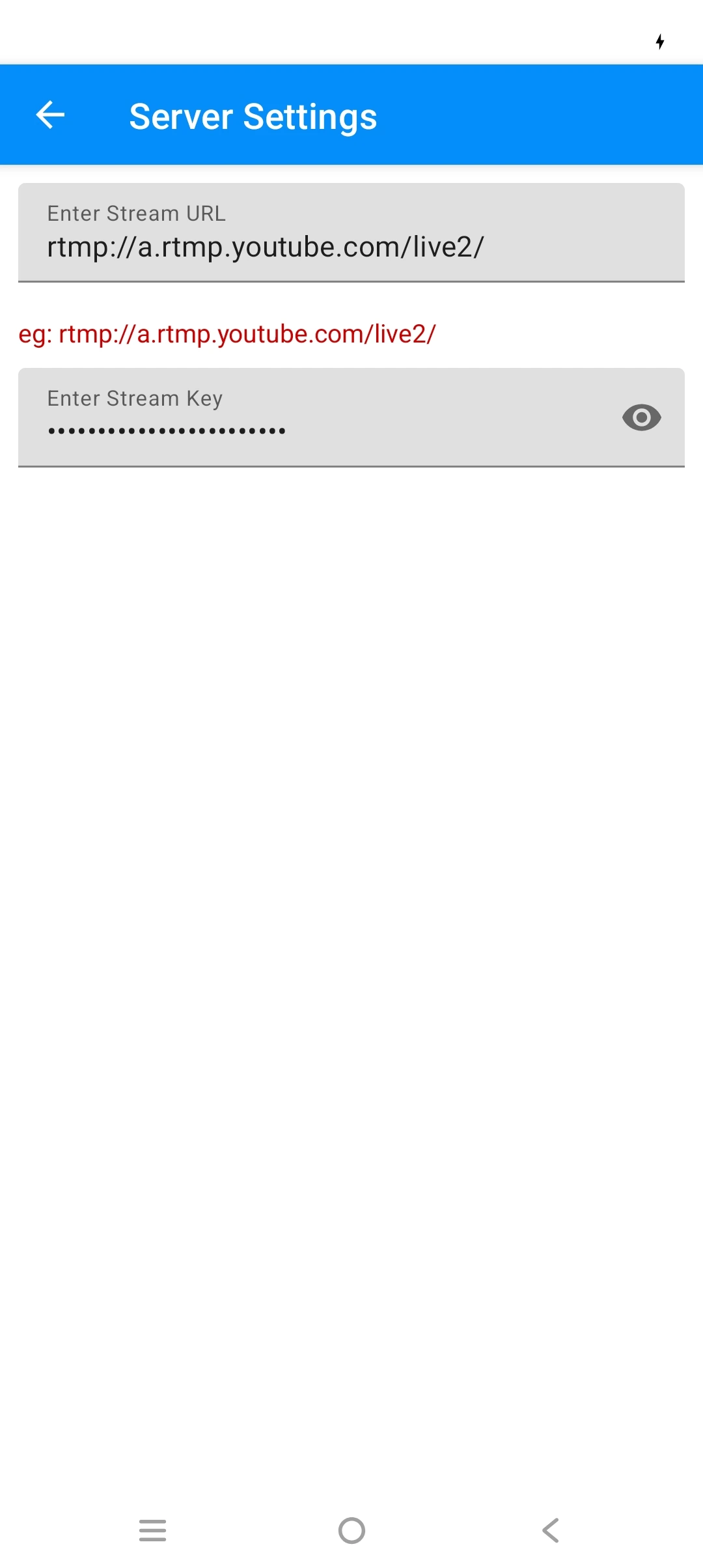 Screenshot — Server Settings
Streamer Screen
Main controls on the streaming screen:
- ▶ Play/Stop — start or stop streaming
- 🔄 Switch Camera — toggle front/rear camera
- 🔦 Flashlight — toggle torch (rear camera only)
- 🎙 Mic button — mute or unmute audio during stream
- 👆 Pinch — zoom in or out on screen
- Coins remaining shown at top of screen
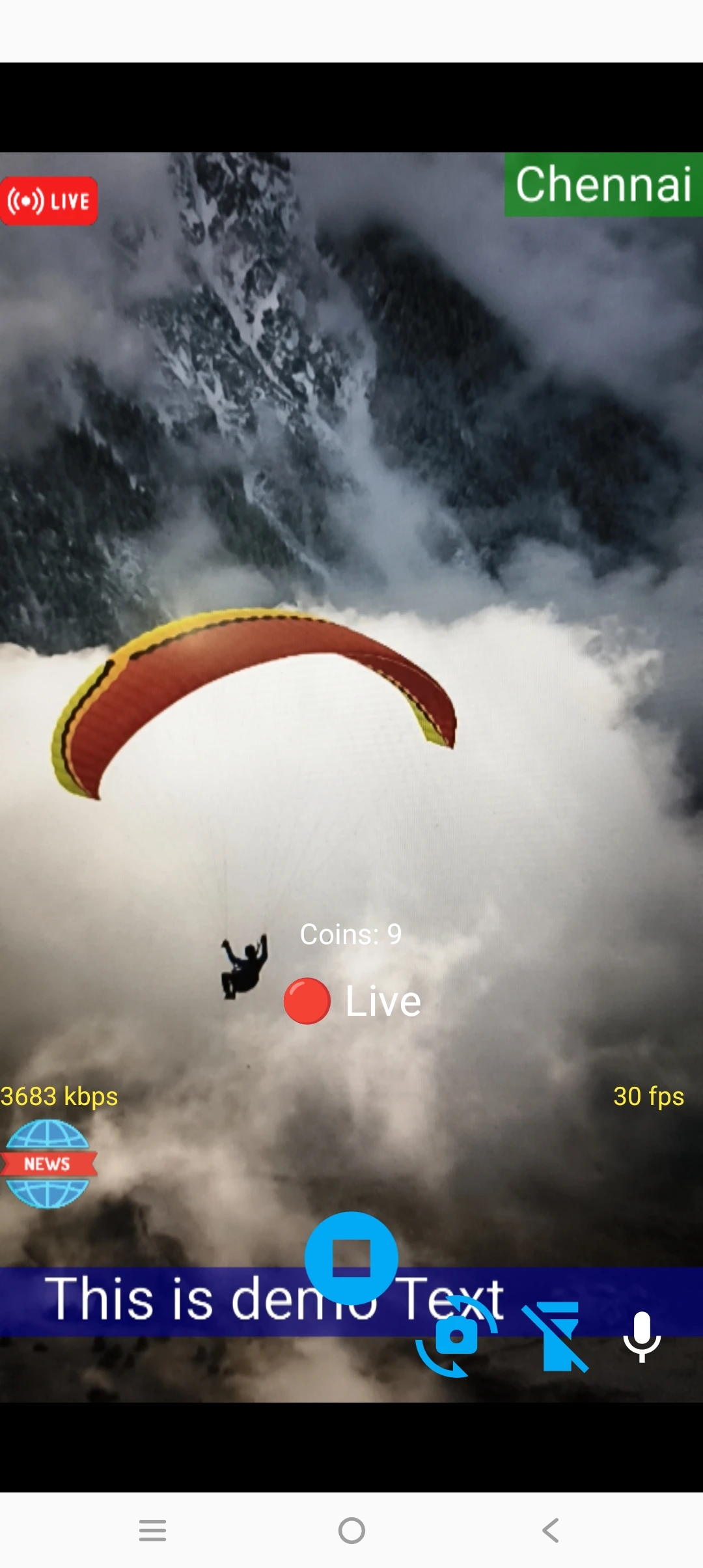 Screenshot — Streamer Screen
Video Settings
- Quality — resolution 480p to 1080p
- Profile — H264 encoding profile
- Bitrate — video bitrate in kbps
- Frame Rate — 15 to 60 fps
- iFrame Interval — keyframe interval in seconds
- Enable Video — disable for audio only stream
- Mirror Front Camera — flip front camera image
Audio Settings (Misc Settings)
- Echo Canceller — reduces echo during stream
- Noise Suppressor — reduces background noise
- Stereo Audio — enable stereo sound
- Audio Bitrate — 64kbps to 256kbps
- Mic mute button available on stream screen
Watermark Settings
Place text or image watermarks in 8 positions on stream:
- Positions: top-left, top, top-right, left, right, bottom-left, bottom, bottom-right
- Select Text to add text overlay
- Select Image to add image overlay
- Set X and Y position (0–100) for custom placement
- Set image size in pixels
- Set text color and background color
- Leave position as None if not used
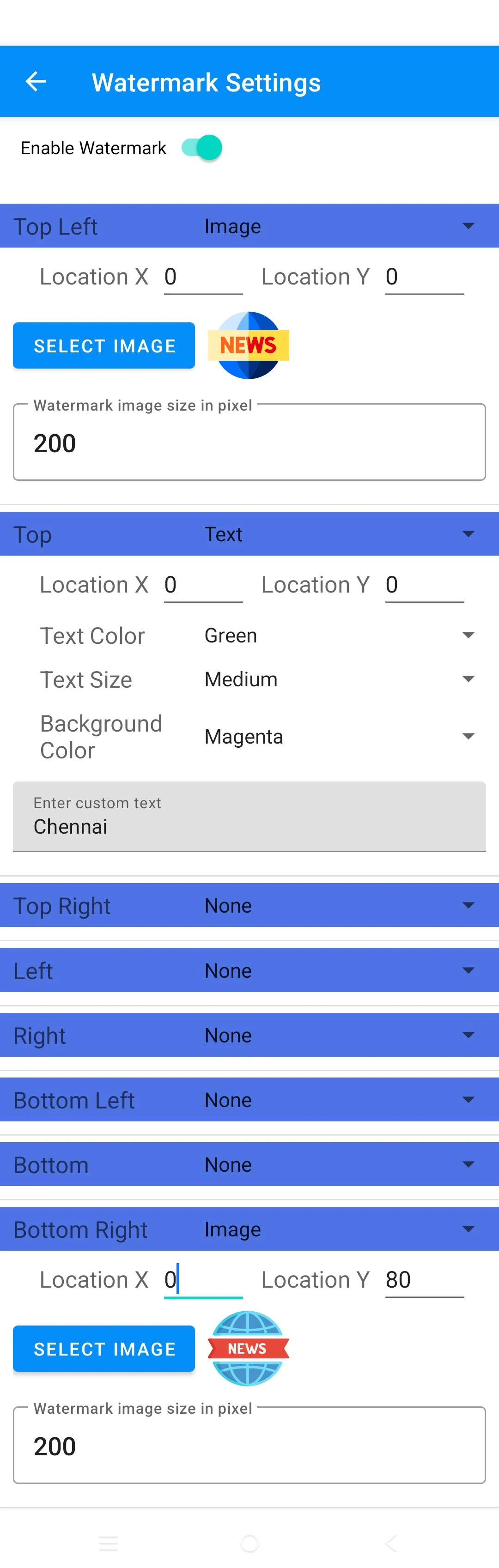 Screenshot — Watermark Settings
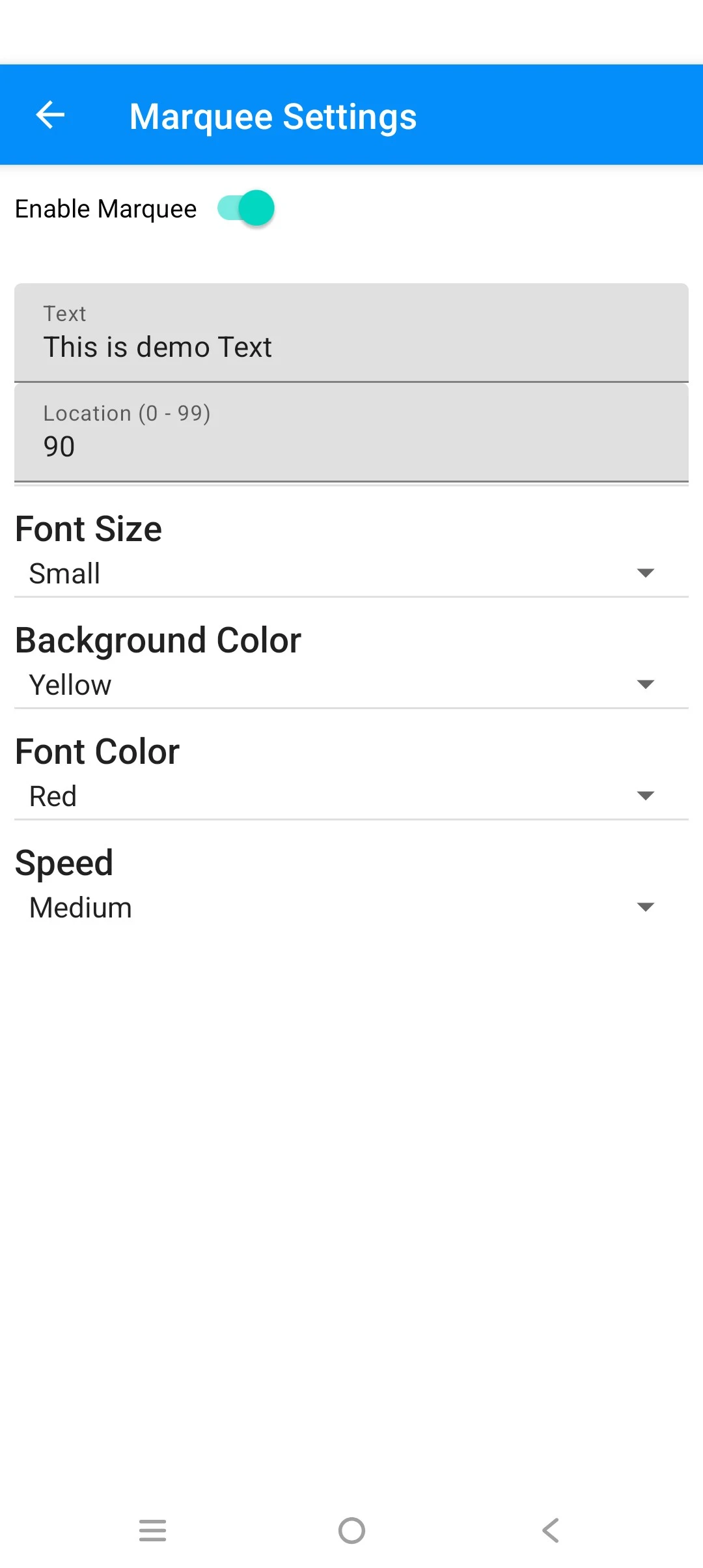
Scrolling Marquee Settings
Add horizontal scrolling text ticker to your stream:
- Enable marquee toggle to activate
- Enter marquee text
- Set vertical position (0–99)
- Set scroll speed — Slow, Medium, Fast
- Set font size and text color
- Set background color (optional)
- Background is transparent by default
 Screenshot — Watermark Settings
Camera Orientation
LiveFilms supports both Portrait and Landscape streaming. Rotate your device before starting the stream for best results.
Zoom Support
Pinch on the camera preview screen to zoom in or out during streaming.
How to View the Stream
- YouTube: YouTube Studio → Go Live
- Facebook: Live Producer page
- Custom server: connect via VLC or media player
My Account
- View your email and coin balance
- Sign out from your Google account
- Delete your account and all data permanently
- Account data auto deleted after 180 days of inactivity
Performance Tips
- Use 720p at 2500kbps
- Keep overlays under 3
- Use slow marquee speed
- Lower screen brightness
- Keep image watermarks under 512x512px
- Disable overlay background colors
Streaming Issues
If streaming is not working:
- Check internet connection
- Allow camera and microphone permissions
- Check RTMP URL and stream key are correct
- Restart the app and try again
- Try lower resolution (480p or 720p)
Subscription Issues
If subscription is not activated:
- Check Google Play payment status
- Sign out and sign in again
- Restart the app
- Contact support if issue persists
Ads
Free mode includes rewarded video ads powered by Google AdMob. Watching an ad earns 10 coins = 10 minutes of streaming. Ads are optional — subscribe for unlimited streaming without ads.
Contact Support
If you need assistance please contact us:
Email: [email protected]
Mobile: +91 8754998890